
CHRONIC CONDITION CARE MANAGEMENT
Make Chronic Care Work Between Visits
A care plan succeeds only when patients can put it into practice.
Calcium helps healthcare organizations deliver clinician-approved guidance, gather relevant updates between appointments, and give care teams a clearer view of who may need follow-up.
Connect patient action with accountable care-team review across ongoing chronic care programs.
THE CHRONIC CARE GAP
A Care Plan Cannot Do Its Work Alone.
A patient can leave an appointment with a thoughtful treatment plan and still face uncertainty the next morning. Several conditions, multiple clinicians, changing symptoms, and everyday demands compete for attention. Meanwhile, care teams must decide where limited time will make the greatest difference. The distance between a documented plan and lived experience is where chronic care programs often lose momentum.
Four pressures on chronic care teams:
Fragmented Care
A person with diabetes, heart disease, and depression may receive advice from several clinicians. When records and recommendations are scattered, patients and care teams must work harder to understand the full picture and align next steps.
Daily Self-Management
Patients make health decisions between appointments, often while managing work, caregiving, cost, and changing symptoms. Instructions in a visit summary may be difficult to translate into manageable actions on an ordinary Tuesday.
Limited Visibility
Weight, blood pressure, glucose, symptoms, and medication concerns can change before the next scheduled visit. Without a practical way to gather relevant updates, teams may learn about problems only after a patient calls or returns.

Limited Staff Capacity
Care managers cannot call every patient every day. They need a reliable way to reserve human attention for patients with questions, changing needs, missed activities, or signals that warrant review under the organization’s clinical rules.
A CONNECTED APPROACH
Connect the Plan, the Patient, and the Care Team.
A patient can leave an appointment with a thoughtful treatment plan and still face uncertainty the next morning. Several conditions, multiple clinicians, changing symptoms, and everyday demands compete for attention. Meanwhile, care teams must decide where limited time will make the greatest difference. The distance between a documented plan and lived experience is where chronic care programs often lose momentum.
Four pressures on chronic care teams:
Give an established clinical program a dependable way to work between encounters.
Better chronic care begins with a shared understanding of what patients are trying to accomplish and what the team needs to see. That understanding has to remain useful after the appointment ends. When information and responsibilities move through a dependable routine, patients can participate with more confidence and clinicians can make decisions with better context through each stage of care.
Calcium connects three parts of that routine. A clinician establishes the plan and approves the guidance. The patient receives manageable activities and opportunities to share relevant updates. The care team reviews available information and follows up according to its own protocols.
Clinician-Approved Plan
Establishes goals and appropriate actions.
Guided Patient Experience
Supports participation between visits.
Accountable Team Follow-Up
Turns information into review and action.
THE CHRONIC CARE WORKFLOW
Keep Care Moving From One Interaction to the Next.
A repeating process connects patient participation with clinical oversight.
Every chronic care program needs a dependable rhythm that patients and staff can recognize. The rhythm starts before the first digital interaction and continues after a patient responds, misses a task, or reports a concern. Clear ownership matters as much as the technology: someone must know which information to review, when to respond, and how the plan changes over time.
1. Identify & Enroll
Set the plan and assign ownership
Choose an eligible cohort, confirm consent and available information, and assign an owner. A clinician establishes the care plan and decides which pathway activities and review criteria are appropriate for the patients enrolled.
2. Guide Patients
Make every next step manageable
Deliver clinician-reviewed education, reminders, and tasks through the Super App. Patients see manageable steps connected to their goals, while the team decides what guidance belongs in the pathway and when it should appear.
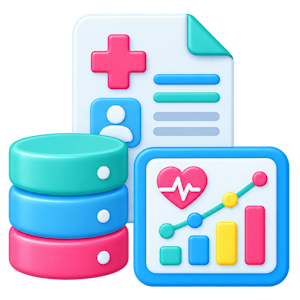
3. Get Relevant Updates
See changes between visits
Invite patients to record symptoms, questions, progress, and supported home measurements. With appropriate sharing, their responses and available device information give the care team more context about what happens beyond the exam room.
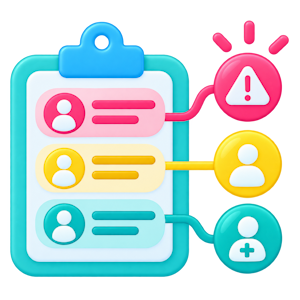
4. Review & Prioritize
Decide what needs attention
Use Core to review pathway participation, patient-reported information, and configured signals. Staff apply clinical protocols to decide which changes need outreach, which can wait for routine review, and which require urgent handling.
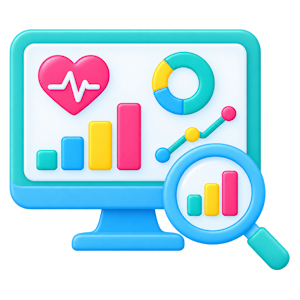
5. Follow-up & Adjust
Respond, document, and adjust
The assigned team member contacts patients when review criteria call for action, documents the interaction in the organization’s clinical system, and updates the plan as appropriate. Establish a separate process for unanswered check-ins.
WHAT CONNECTED CARE MAKES POSSIBLE
Give Patients More Guidance and Care Teams More Visibility
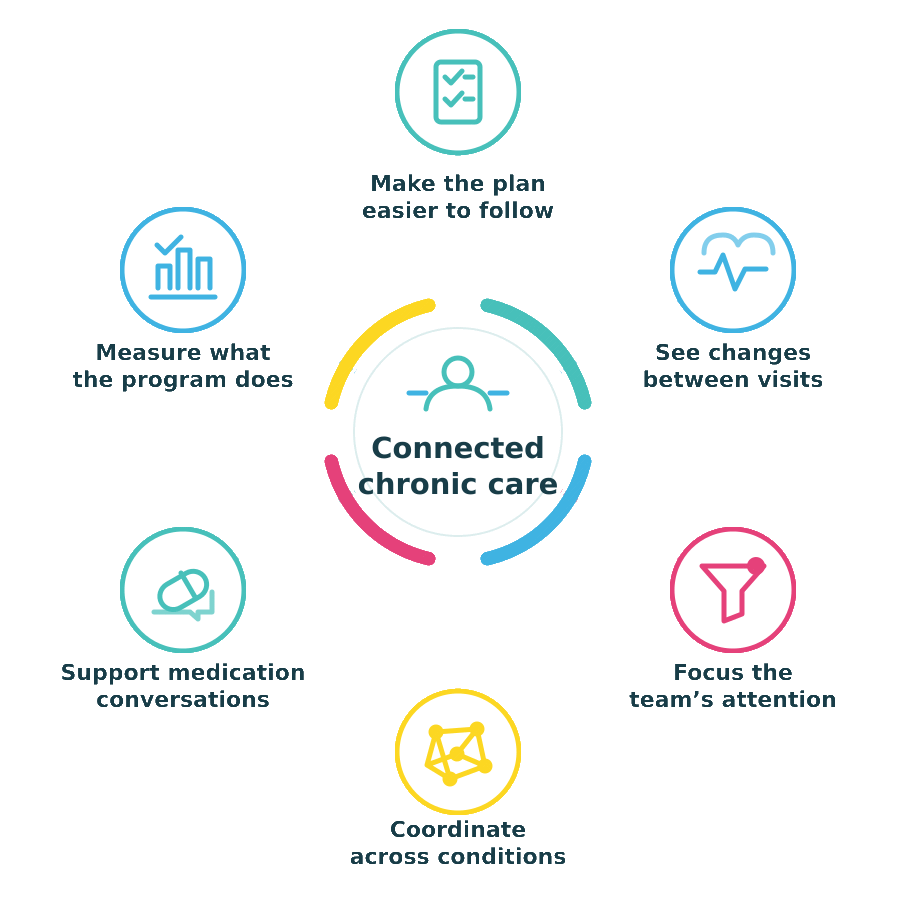
Make everyday chronic care activity easier to organize and act on.
The value of a chronic care program becomes visible in small moments: a patient understands the next step, a nurse sees a change worth reviewing, or a team closes an overdue loop. These moments accumulate across many months of ongoing patient care. The following capabilities are designed to make those everyday interactions easier to organize, observe, and act on consistently.
Make Plans Easier to Follow
Translate the clinician’s plan into recurring patient activities with plain-language guidance. Education, reminders, and short check-ins can help people understand what to do next while keeping treatment decisions with the clinical team.
See Changes Between Visits
Review available measurements and patient-reported concerns alongside existing clinical context. A changing pattern can prompt closer review, but staff must interpret it using the patient’s circumstances and approved clinical criteria.
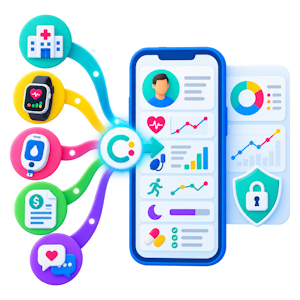
Coordinate Across Conditions
Bring available diagnoses, medications, labs, encounters, and patient information into a longitudinal view. Use that context to support communication across the care team, while verifying missing data and recommendations.

Focus the Team's Attention
Filter program participants by status, activity, and configured alerts so staff can organize their day. Assign responsibility for each review queue and define what happens after a signal appears or a patient stops responding.
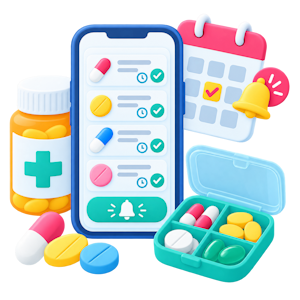
Support Medication Conversations
Help patients track medications and raise questions about their regimen. These tools can make barriers visible for a clinician or pharmacist to address; they do not confirm ingestion or perform a clinical medication reconciliation.
Measure What the Program Does
See who enrolled, completed activities, reported concerns, and received follow-up. Teams can use those measures to refine the program before attributing changes in health outcomes or utilization to a single digital intervention.
MEDICARE CHRONIC CARE MANAGEMENT
Support the Work Behind a CCM Program
For Medicare patients with multiple qualifying chronic conditions, care management can also involve a defined monthly service. That creates an important distinction for clinical and operational leaders: supporting day-to-day care is different from satisfying every requirement for billing. A successful program needs both useful patient engagement and an organization that has established the clinical, staffing, documentation, and appropriate access processes.
Where Calcium can support the work
- Guide the patient between visits. Clinician-reviewed pathways can provide education, reminders, questions, and manageable activities tied to an approved care plan.Bring relevant information into view.
- With appropriate access and sharing, Core can display available records, patient responses, pathway activity, and supported measurements.
- Organize follow-up. Status views and configured alerts can help staff identify patients who may need attention. The organization assigns review responsibility, establishes response times, documents qualifying work, and maintains its clinical escalation process.
What the organization must provide
The billing practitioner and organization establish the initiating visit and consent process when required; create, maintain, and share the comprehensive care plan; provide qualified staff and required access; document qualifying work; and determine appropriate coding and billing. Calcium should be evaluated as a tool within that program, not as a substitute for those responsibilities.
Note: Managing chronic disease is broader than Medicare CCM. Calcium can support programs outside that specific billing service. Other payment models, including Advanced Primary Care Management, have distinct rules and should be evaluated separately.
ONE CONNECTED PLATFORM
Bring Patient Guidance and Provider Oversight Together.
A chronic care program can become cumbersome when patient guidance, health information, and staff review live in separate tools. Providers need an experience that supports their established clinical work, and patients need one that makes participation manageable. Calcium brings its three product components together around those roles, with the details of data access and workflows determined during implementation for each program.
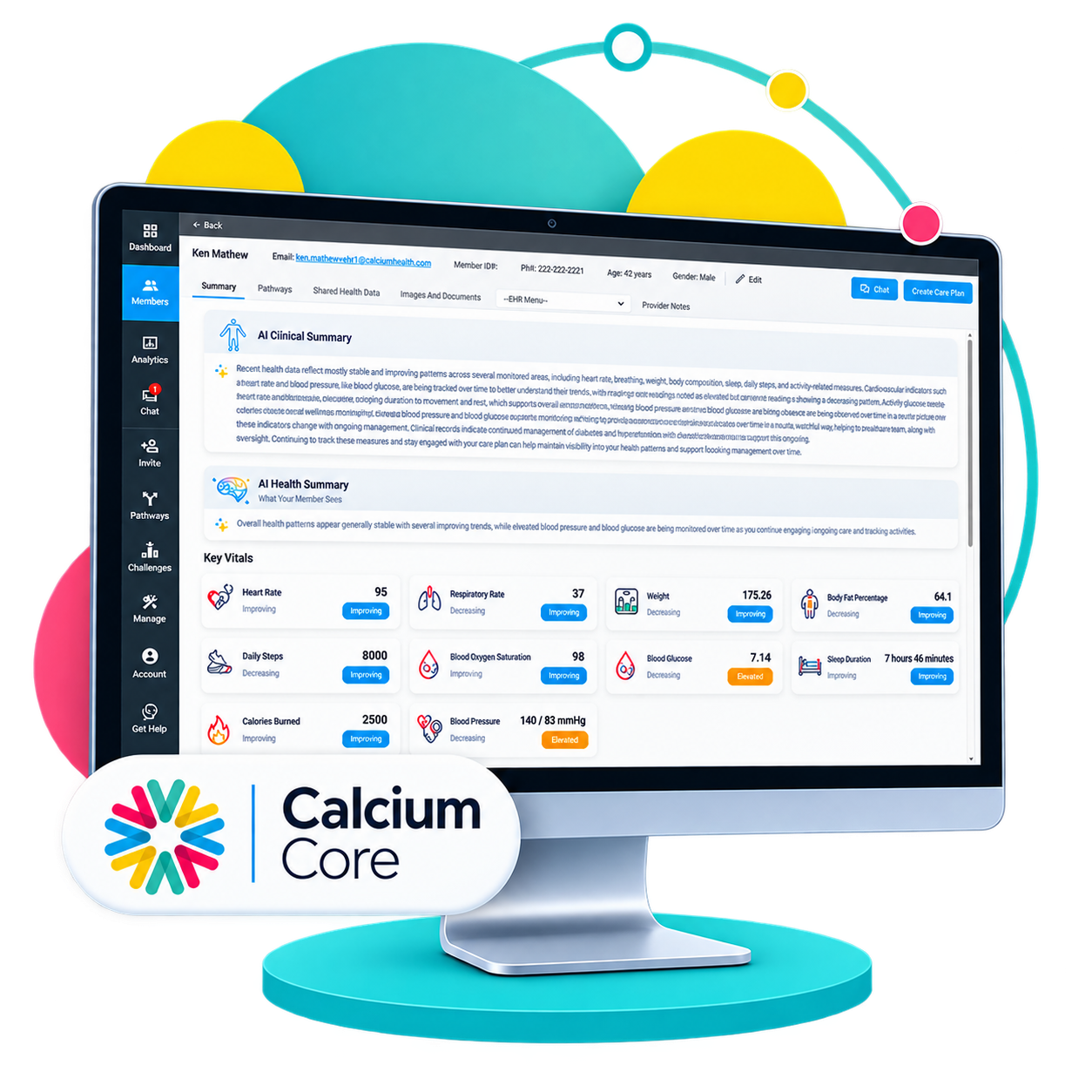
Calcium Core
See the Journey Unfold
Calcium Core brings available clinical records, shared patient information, pathway responses, and supported device data into a provider view. Teams can organize patients, review trends, use configured alerts, and coordinate appropriate follow-up.
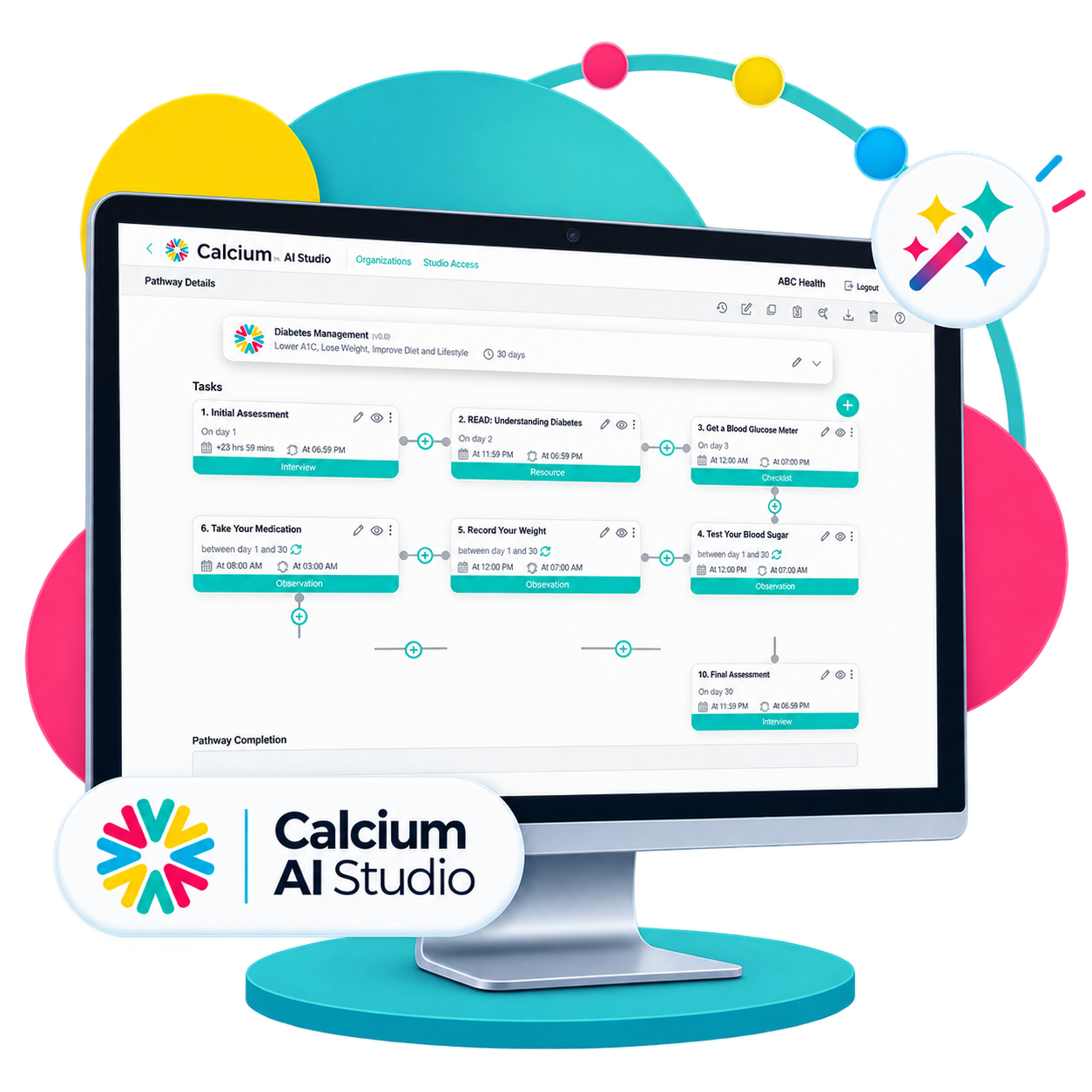
Calcium AI Studio
Build the Digital Treatment Experience
Calcium AI Studio helps teams create and manage condition-specific or multi-condition Digital Pathways. Clinical owners review content and decide which education, tasks, questions, and schedules are appropriate before a pathway reaches patients.
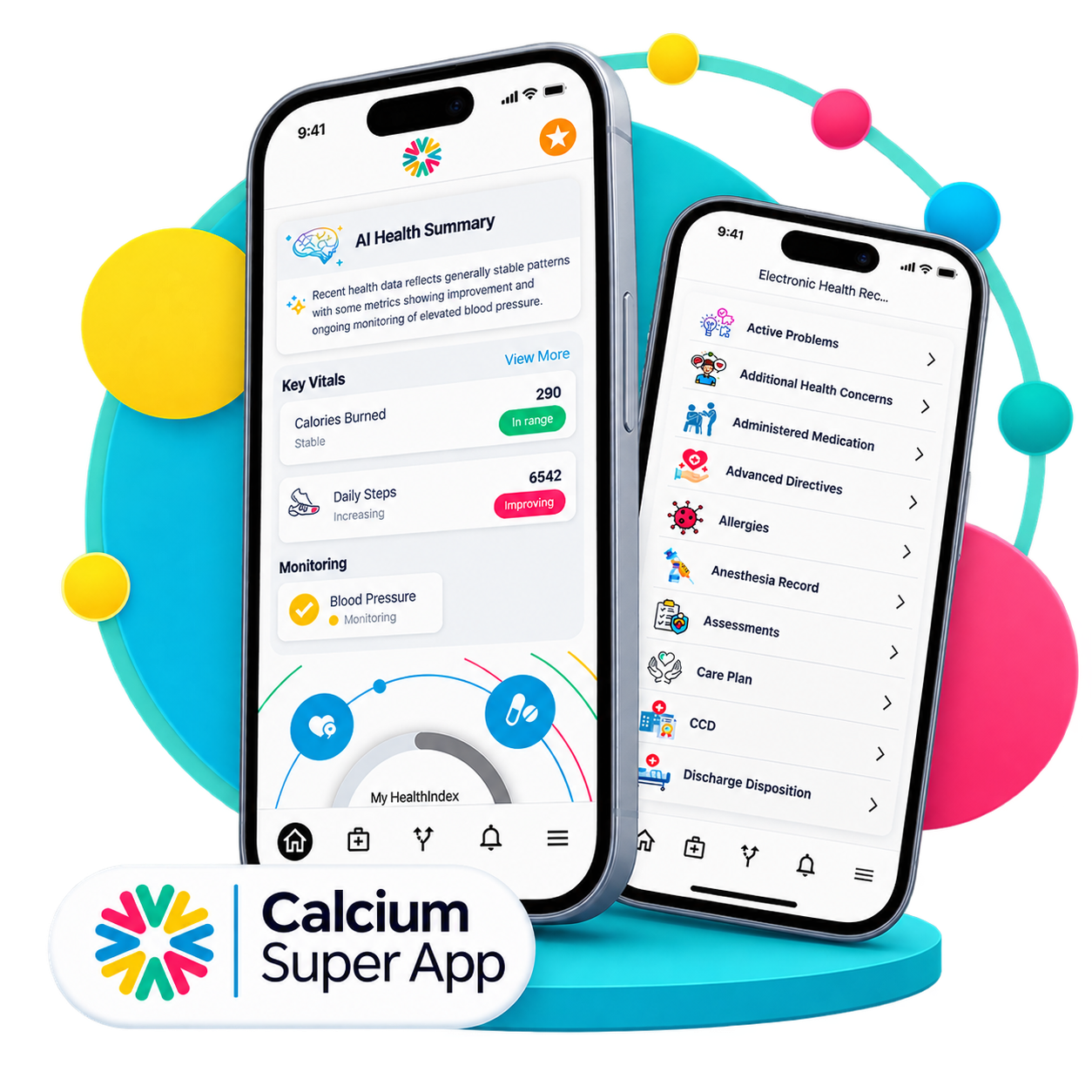
Calcium Super App
Put the Care Plan in the Patient's Hands
The Calcium Super App gives patients access to assigned pathways, reminders, tracking, and shared health information. It offers a place to participate between visits and send relevant updates to an authorized care team.
CLOSED-LOOP PREDICTIVE PREVENTION
Turn Changing Risk Into Chronic Care Action.
A chronic condition can change gradually, then demand urgent attention. Care teams need a way to recognize meaningful changes, decide who may benefit from outreach, and connect that decision to appropriate action.
Calcium’s Predictive Prevention framework gives this work a continuous structure. Its value depends on available information, sound clinical rules, patient participation, and a team prepared to respond consistently.
Predict: Recognize changing needs
Combine available EHR, patient-reported, and connected health information with a validated risk model or agreed clinical criteria. Identify patterns that may warrant review while keeping data gaps and model limits visible to the care team.
Segment: Match support to population
Group patients by condition mix, risk, recent utilization, or care needs so each cohort receives an appropriate level of support—or use AI Studio to easily personalize pathways for individuals. Clinical leaders define the segments and decide which information is reliable enough to use.
Prioritize: Direct care-team attention
Use risk information, changing measurements, pathway responses, and missed activities to organize staff review. A configured queue can highlight patients who may need attention; the clinical team determines urgency and owns outreach decisions.

Intervene: Put the plan into action
Assign a clinician-approved Digital Pathway, outreach task, or other program action matched to the patient’s needs. Patients receive practical guidance while nurses, care managers, and practitioners handle clinical questions and changes to treatment.

Monitor: Stay connected between visits
Follow participation, reported symptoms, supported device measurements, and the result of team outreach over time. Define who checks for nonresponse and when new information should trigger routine review or a higher-level response.

Learn: Improve the program
Compare program activity and patient trajectories with a baseline. Review which signals produced useful action, where patients disengaged, and how staff time was used; refine criteria and pathways without claiming causation from trends alone.
EXTEND THE TREATMENT PLAN
Support the Conditions and Care Journeys Your Team Manages
Healthcare providers already know what they want patients to work on between encounters. The challenge is translating those recommendations into something patients can consistently follow without creating a new manual workload for the care team.
Calcium Digital Pathways provide a configurable delivery mechanism for that expertise, turning treatment programs and protocols into structured digital experiences that can unfold over days, weeks, months, or longer.
Hypertension Management
Help patients follow clinician-approved blood pressure routines, record supported home readings, and raise questions about medications or symptoms. Care teams can review trends in clinical context and decide when outreach or a plan adjustment is appropriate.
Diabetes Management
Guide patients through manageable check-ins on glucose, medications, nutrition, and daily habits. Bring shared readings and reported concerns into the team’s view so clinicians can tailor education and follow-up to each patient’s care plan.
Heart Disease Follow-Up
Extend the discharge or outpatient plan with symptom check-ins, weight tracking when appropriate, and clear next steps. Give the team a way to review reported changes and coordinate clinician-directed follow-up.
COPD Symptom Support
Support inhaler routines, symptom reporting, and individualized action-plan reminders between appointments. Patients can share changes in breathing or activity while the care team reviews responses and determines whether outreach or clinical evaluation is needed.
Chronic Kidney Disease Care
Keep clinician-approved monitoring, medication questions, appointments, and self-management tasks in one patient journey. Give the team a longitudinal view of available labs, blood pressure readings, and reported concerns to support coordinated follow-up.
Hyperlipidemia Management
Reinforce the treatment plan with plain-language education, reminders, and check-ins about medication questions and lifestyle goals. Available lipid results and patient activity can help the team prepare focused conversations and plan the next review.
Obesity & Weight Management
Break clinician-directed plans into achievable steps for nutrition, activity, medication discussions, and progress check-ins. Use shared measurements and patient-reported barriers to support respectful, personalized follow-up beyond the number on a scale.
Multi-Condition Care
Coordinate guidance for patients living with multiple chronic conditions in one coherent experience. Review available diagnoses, medications, measurements, and patient updates together so teams can prioritize needs and avoid conflicting instructions.
WHY CALCIUM?
Make More of Your Existing Care Plan Useful Every Day.
Connect information, patient activity, and follow-up in one operating model.
Hospitals and practices have already invested in records, clinical teams, and care plans. The opportunity is to make those assets more useful throughout the weeks between encounters. Calcium is designed to connect information with guided participation and a shared review process, giving organizations a way to build focused chronic care programs and refine them as they learn what patients need.
From Instructions to Participation
Give patients recurring opportunities to act on approved guidance and report what is difficult.
From Collected Data to Review
Put available responses and measurements where assigned staff can use them.
From Review to Follow-Up
Connect defined signals to an owner, an appropriate response, and a documented next step.
FAQ
1. Does Calcium replace our EHR or existing care-management team?
No. Calcium is designed to complement the EHR and the clinicians responsible for care. It can give patients a guided experience between visits and help authorized staff review available information. Your organization remains responsible for the clinical record, care plans, medical decisions, staffing, and follow-up procedures.
2. Does Calcium replace our behavioral-health EHR?
Calcium is not positioned as a replacement for the systems behavioral-health organizations use to document and manage clinical encounters. Its primary value is extending visibility and structured engagement beyond those encounters. Calcium can bring supported clinical and patient-generated information together with Digital Pathway activity, connected health information, analytics, and engagement tools to create a more longitudinal layer around existing care delivery.
3. How does Calcium help engage patients between visits?
Providers can assign Digital Pathways that deliver recurring activities, questions, education, reminders, medication support, check-ins, and health-data collection through the Calcium Super App. Instead of relying solely on the next scheduled appointment, patients receive structured guidance throughout the interval between encounters. Their pathway participation and responses can then become visible to authorized care teams through Calcium Core.
4. Can Calcium support measurement-based care?
Calcium can provide digital infrastructure useful for organizations implementing measurement-based approaches, including recurring questions, assessments, patient-reported information, and longitudinal review of responses. APA describes measurement-based care as regular use of quantitative patient information to track progress and inform treatment. Organizations remain responsible for selecting appropriate measures, licensing where applicable, clinical interpretation, workflows, and treatment decisions.
5. How can Calcium support substance-use and addiction treatment?
Calcium can extend clinician-directed addiction treatment into everyday life through recovery-oriented Digital Pathways, treatment activities, education, check-ins, medication support, reminders, patient feedback, and ongoing engagement. Providers can review pathway participation and other supported information through Calcium Core. This can help programs reinforce engagement, continuity, and re-engagement strategies without positioning Calcium as a replacement for professional addiction treatment.
6. Can Calcium support medication-based addiction treatment?
Calcium can support the digital engagement surrounding clinician-directed medication treatment with medication reminders, education, treatment activities, check-ins, appointment prompts, and adherence-related information. This can complement programs involving medications for opioid or alcohol use disorders. Calcium does not prescribe, dispense, administer, or independently manage these medications, and it does not replace the clinical monitoring or regulatory workflows required by treatment programs.
7. Can we create our own behavioral-health Digital Pathways?
Yes. Calcium AI Studio is designed to help organizations create, configure, and manage Digital Pathways around their own programs, protocols, conditions, and patient needs. Teams can configure tasks, questions, educational content, reminders, alerts, sequencing, and conditional logic, then deliver pathways through the Calcium Super App and monitor relevant activity through Calcium Core. Pathways can also evolve as programs change.
8. What patient information can providers see through Calcium Core?
Depending on available connections, patient authorization, and organizational configuration, Core can bring together clinical records, medications, diagnoses, labs, procedures, vital signs, patient-generated information, Digital Pathway responses, connected-device data, health-app information, analytics, trends, alerts, and other supported information. The objective is to provide a richer longitudinal picture rather than requiring teams to interpret each source as an isolated data stream.
9. Can Calcium support co-occurring behavioral and physical-health conditions?
Calcium's broader digital-health architecture is particularly relevant when behavioral health intersects with other health needs. Supported clinical, patient-generated, medication, device, health-app, and pathway information can be organized around the individual. Behavioral-health and recovery pathways can therefore exist within a broader whole-person environment, giving integrated-care teams additional context while they coordinate treatment according to their professional roles and organizational model.
10. Can we begin with one behavioral-health program and expand?
Yes. Calcium's platform can support multiple pathways, programs, populations, and organizational structures. An organization could begin with a focused initiative—such as addiction recovery engagement, medication support, depression monitoring, or a transition-of-care program—and expand into additional behavioral-health or broader healthcare applications over time. This allows the digital infrastructure to grow with organizational strategy rather than requiring every use case at launch.
11. How can Calcium help addiction treatment programs keep patients engaged between encounters?
Recovery continues long after a counseling session, medication appointment, or treatment activity ends. Calcium Digital Pathways can extend structured engagement into patients’ everyday lives through provider-defined activities, education, check-ins, reminders, and supportive messaging. These digital touchpoints reinforce the treatment journey while creating additional opportunities for patients to remain connected to their program. Calcium is designed to complement—not replace—the therapeutic relationships and professional services provided by addiction treatment teams, giving organizations another mechanism for supporting continuity between scheduled encounters and across different phases of recovery.
12. How can Calcium support medications for opioid or alcohol use disorders?
Calcium can provide a digital support layer around clinician-directed medication treatment through medication schedules, reminders, educational content, adherence-related activities, patient check-ins, and complementary Digital Pathways. Organizations can integrate these capabilities into broader treatment journeys that also include counseling, recovery activities, appointments, assessments, and other provider-defined services. Calcium does not prescribe medications or make treatment decisions. Instead, the platform helps reinforce plans established by qualified professionals while providing another mechanism for keeping patients engaged and collecting relevant information between medication-management encounters throughout their recovery journey.
13. Can Calcium help addiction treatment programs identify changes between scheduled visits?
Digital Pathways can create recurring opportunities for patients to share structured information between formal treatment encounters. Programs can configure check-ins, questions, assessments, treatment activities, and other pathway interactions around their own clinical and operational requirements. Patient responses and participation can provide additional longitudinal context for authorized care teams reviewing the recovery journey. Organizations can also configure selected alerts around pathway events or responses. These capabilities support greater visibility between encounters while preserving clinicians’ responsibility to interpret information, assess individual circumstances, and determine whether additional outreach or intervention is appropriate.
14. How can Calcium support patients as they transition across different levels of addiction care?
Addiction recovery may span residential treatment, inpatient care, partial hospitalization, intensive outpatient programs, outpatient services, medication-based treatment, and continuing care. Digital Pathways can provide a structured thread that evolves as patients move through these different environments. Organizations can configure guidance, education, activities, check-ins, reminders, and recovery resources for specific phases of the journey. This helps maintain a degree of digital continuity as care intensity and treatment objectives change, while allowing each clinical program to determine the appropriate services, content, workflows, and professional interventions for patients.
15. How can Calcium help re-engage patients whose participation in addiction treatment begins to decline?
Changes in participation can occur throughout a recovery journey, making re-engagement an important consideration for addiction treatment programs. Calcium can support organization-defined reminders, pathway prompts, check-ins, supportive messaging, and other digital workflows designed to encourage patients to reconnect with selected treatment activities. Pathway participation can also provide care teams with additional context when considering outreach. Rather than treating every interruption as the end of engagement, organizations can use the digital relationship to maintain opportunities for reconnection while determining when personalized clinical or human outreach may be appropriate.